


How to Choose a Barcode Reader for a Packaging Line
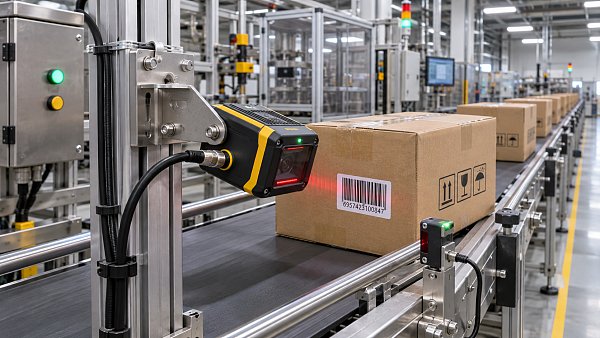
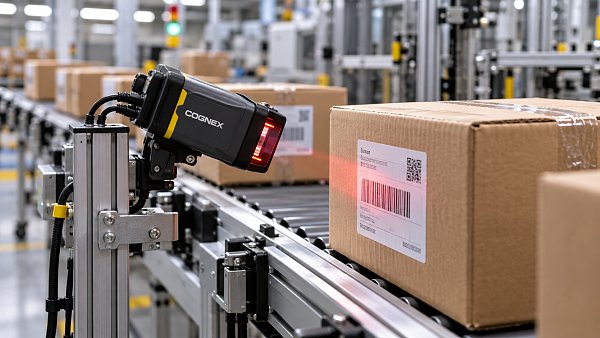
A barcode reader should be selected from the line conditions outward, not from the code type alone. A reader that decodes a clean label at a bench may fail on a moving carton with gloss variation, print spread, vibration, changing distance, or an awkward code position. On a packaging line, the useful question is whether every required code can be captured at the required location, within the available time, and routed into a reliable accept-or-reject decision.
Begin by defining the inspection point. A code applied before filling faces different risks from a code printed after sealing, and a pallet label has different requirements from a small carton code. Determine whether the reader must confirm product identity, batch or lot information, expiry data, serialisation, shipping data, or a combination of fields. The inspection logic should state what happens when a code is missing, unreadable, duplicated, unexpected, or correctly decoded but linked to the wrong production order.
Match the reader type to the code and its physical condition
Laser scanners and linear imagers are generally suited to well-printed one-dimensional barcodes, such as Code 128 or other linear logistics labels. Area imagers are more flexible where two-dimensional symbols, including Data Matrix and QR codes, may appear alongside linear codes. An imager also provides a captured image, which is useful when investigating repeat failures caused by printing, placement, or packaging surface changes.
Code symbology is only the starting point. The physical appearance of the mark often determines whether a standard reader is sufficient. Printed bars on uncoated corrugated board behave differently from a dark thermal-transfer label on film. Direct inkjet marks may have uneven edges or lower contrast. Codes placed across a corrugation flute, near a fold, on a curved bottle, or over a glossy varnish introduce optical variation that a laboratory sample will not show.
For direct part marks or low-contrast laser marks, a reader with suitable illumination and decoding capability is usually necessary. For ordinary carton labels, the greater concern may be motion blur, label wrinkles, or inconsistent application position. Do not assume that a high-resolution camera automatically solves these issues. Resolution must be sufficient for the smallest module, but image quality also depends on lens selection, lighting angle, exposure time, and stable triggering.
Use the smallest code feature, not the label size, to set imaging requirements
The smallest bar width or two-dimensional code module sets the detail the reader must resolve. A large label may contain a very small Data Matrix symbol; choosing a reader based on the overall label area can leave too few pixels across each module. Conversely, specifying excessive resolution for a broad, simple shipping label can reduce field of view, increase image-processing demand, and make mounting more restrictive.
Ask for samples representing the worst legitimate production condition, not only artwork-approved labels. These should include the lightest and darkest substrates, minimum acceptable print quality, maximum expected code position variation, different ink colors where relevant, and samples from the start and end of a production run. Include cartons with dust, scuffing, glue splash, abrasion, or realistic surface gloss if those conditions occur before the reading station.
A useful trial set also contains known defects: truncated quiet zones, blurred bars, low-contrast marks, poor registration, damaged labels, and duplicate labels. The reader must reject invalid production without creating nuisance rejects from acceptable variation. A system that reads every intentionally poor sample may be configured too loosely if it also accepts a wrong code from another job.
Calculate the read window from line motion
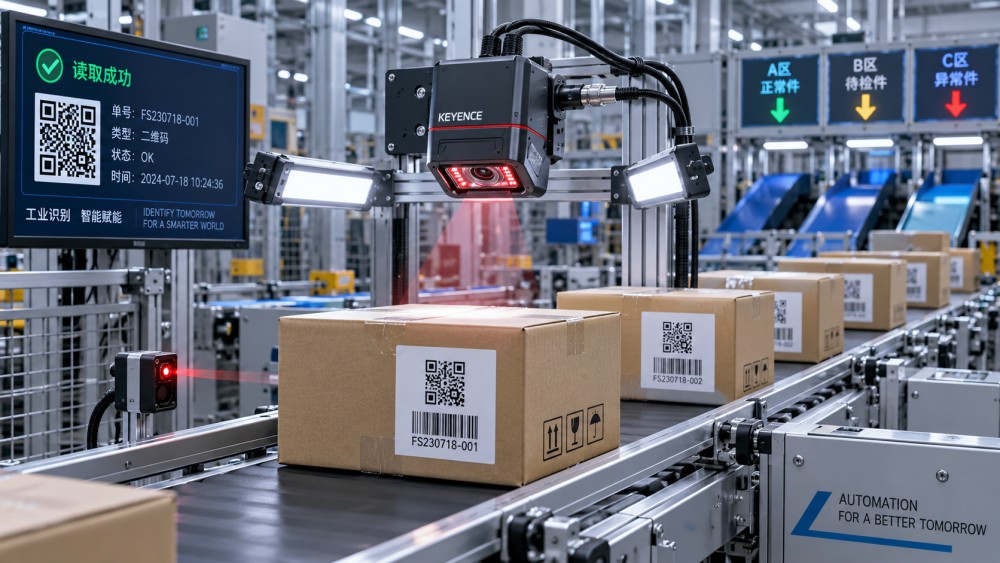
Read rate is often discussed as a device specification, but the line creates the true time limit. The available read window is determined by product speed, product spacing, trigger position, code location, and the distance between reading and rejection. A carton moving quickly through a short inspection zone gives the reader only a brief opportunity to acquire and decode the symbol. If the reader must inspect more than one side, the timing budget becomes tighter.
Motion blur is a frequent source of confusion. A code can appear sharp to the eye while moving too far during camera exposure. Shorter exposure reduces blur but requires more light. Increasing illumination may solve the issue, while simply changing to a reader advertised for higher speed may not. Strobe lighting, encoder-based triggering, and carefully controlled shutter settings are often more relevant than headline scan speed.
Product presentation matters as much as conveyor speed. Cartons may yaw as they transfer between belts, bounce after a guide rail, or rotate slightly when a compression belt engages. Flexible pouches and shrink-wrapped packs may shift more than rigid cartons. If code location is variable, a wider field of view or multiple reading positions may be needed. Widening the field of view lowers the pixel density available to the code, so this decision must be checked against the smallest module size.
Separate code reading from code verification
A barcode reader answers whether it can decode a symbol and return data. Barcode verification evaluates the quality of the printed symbol against a defined grading method. These are related functions, but they address different production questions.
For routine line control, decoding is often the immediate requirement: confirm that the correct data is present and legible before the pack moves onward. Where print-process control or supplier acceptance requires measurable symbol quality, a dedicated verifier may be required at defined intervals or during job release. Treating a reader as a verifier can create false confidence, especially when a reader decodes marginal codes reliably in its own lighting arrangement but another scanner later cannot.
Data validation should be explicitly configured. A successful decode is not enough when each carton must carry the correct item number, lot, date, or serial relationship. The inspection recipe should compare decoded content against the active job data and apply the expected format, length, prefix, suffix, and sequence rules. For serialised production, determine whether the reader must only capture a serial number or also confirm uniqueness against a local or connected database.
Choose optics and lighting as a matched assembly
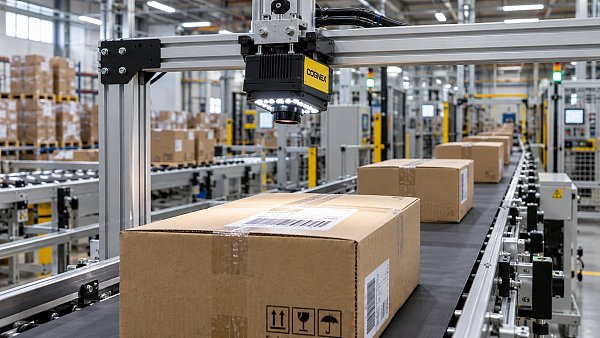
Reader selection should include the mounting distance, viewing angle, lens, illumination, and enclosure together. A reader with a nominal working range does not guarantee a suitable field of view at the actual mounting point. Guards, machine frames, product changeover hardware, and access space can force the reader farther from the code than expected.
Glossy coated cartons and metallised films often create specular reflections. A front-facing light may produce a bright patch that obscures bars or modules. Angled lighting, polarisation, diffuse lighting, or a changed camera angle can improve contrast, but each arrangement should be tested on every relevant substrate. A setup that works on matte white board may fail when a high-gloss promotional carton enters the same line.
Color is another source of avoidable failure. Human-visible contrast does not necessarily match the contrast seen by the sensor illumination. Red ink on a pale substrate, for example, may respond differently under different light wavelengths. Black bars on white stock remain the easiest condition, but packaging artwork often places codes near graphics, color fields, varnish, or variable-data text. Reserve a controlled print area with adequate quiet zones whenever artwork and pack design allow it.
Mounting details that affect repeatability
- A rigid bracket limits vibration and drift. Mounting a reader on a lightweight guard or a moving machine section can turn a stable inspection into an intermittent one.
- Keep the lens and illumination clear of dust paths, steam, adhesive mist, and carton debris. A protected optical window is useful only if it remains accessible for cleaning.
- Place the trigger where the pack position is predictable. A photoelectric sensor located too far upstream leaves more time for a carton to move or rotate before imaging.
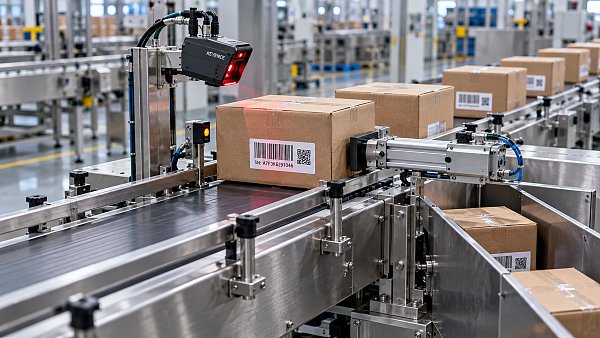
- Leave sufficient distance between inspection and reject so the control system can identify the failed pack and actuate consistently. Short reject distances are especially difficult where closely spaced cartons travel at variable speed.
Plan the line interface before ordering hardware
The reader must exchange information with the machine controls, production data source, and reject mechanism in a way that preserves product identity. Establish whether the line uses discrete inputs and outputs, industrial Ethernet, serial communication, or a combination. The protocol itself is less important than the complete signal sequence: trigger received, image acquired, decode result returned, data validated, reject decision assigned, and rejected product confirmed.
A single reader can be sufficient for one consistently presented code. Multiple readers are often justified when codes appear on different carton panels, when a pack can enter in more than one orientation, or when one device cannot maintain a suitable angle and field of view. Several readers should not be added merely to compensate for an unstable printing process. First determine whether the defect arises from code quality, pack handling, or optics.
Recipe handling deserves close attention on lines with frequent job changes. The active product recipe should control expected code data, acceptable symbologies, reader settings where needed, and reject behavior. A changeover error can be more serious than a no-read because the reader may correctly decode a valid code from the previous job. Recipe selection should be linked to the production order or confirmed through a controlled changeover process, rather than relying on manual parameter selection alone.
Define rejection and traceability behavior
A barcode inspection station is incomplete without a clear response to uncertain conditions. Decide whether a no-read stops the line, marks the pack for review, or sends it to a reject lane. The appropriate response depends on product risk, line buffering, pack spacing, and the ability to segregate affected material. The system should also handle communication loss, reader fault, blocked reject confirmation, and a full reject container. Continuing production without a valid inspection result should be a deliberate, documented state rather than an unnoticed fallback.
Record more than pass and fail counts. Useful event data includes timestamp, production order, decoded string, validation result, reader identifier, rejection result, and fault condition. Saved images are particularly valuable during diagnosis, but storage volume and retention rules should be defined before enabling image capture for every pack. Retaining images only for failed or uncertain reads often provides enough evidence without creating an unmanageable archive.
Reject confirmation closes an important gap. A failed code detected by the reader does not prove that the corresponding pack left the line. A sensor, bin status signal, or other confirmation method should show whether the reject action occurred. Without this feedback, a jammed reject device can allow failed packaging to remain in the accepted flow while the system logs an apparent rejection.
Evaluate performance on the real line
Acceptance testing should include normal output and deliberately stressful conditions: maximum planned conveyor speed, closely spaced products, job changeover, varying carton finishes, realistic ambient light, and extended operation after dust has accumulated. Test both the code and the decision logic. A wrong but readable code, a missing code, a duplicated serial, and a reader communication interruption should each produce the intended result.
Track no-reads separately from invalid-data failures. A no-read points toward code quality, optics, motion, contamination, or triggering. A decoded code that fails validation points toward artwork control, coding data, recipe selection, or upstream process release. Combining both into one reject count hides the corrective action needed.
The final selection should therefore be documented as an application configuration rather than a reader model alone: code samples, mounting geometry, lighting arrangement, trigger method, operating speed, validation rules, reject timing, interface signals, and cleaning access. That record makes future line changes easier to assess and prevents a successful setup from being reduced to an incomplete equipment specification.
Related News
 What Affects Barcode Scanner Prices for Production Lines?Barcode scanner price depends on speed, durability, integration, and maintenance. Learn how to compare production-line quotes and make a smarter investment.Machine Vision & Coding Fellow
 Why an Industrial Barcode Scanner Fails to Read CodesIndustrial barcode scanner not reading codes? Discover how to diagnose print, setup, lighting and communication issues and restore reliable production.Machine Vision & Coding Fellow
 How to Choose a High Speed Barcode Reader for Packaging LinesChoose a high speed barcode reader with confidence. Compare optics, line speed, controls, and acceptance tests to improve packaging-line reliability.Machine Vision & Coding Fellow
 How Do Barcode Scanners Verify Serial Numbers on Packaging Lines?Discover how Barcode Scanners validate serial numbers, detect duplicates, and trigger package rejection. Learn how to improve packaging line accuracy and traceability.Machine Vision & Coding Fellow
 How to Choose a High Speed Barcode Scanner for Moving CartonsChoose a high speed barcode scanner for moving cartons with confidence. Compare motion blur, optics, tracking, and real-world tests to reduce no-reads and costly rejects. Explore the guide.Machine Vision & Coding Fellow
 When Is a Higher Industrial Barcode Reader Price Worth Paying?Is a higher industrial barcode reader price worth it? Discover how to compare read reliability, integration costs, and downtime savings to make a smarter investment for your production line.Machine Vision & Coding Fellow