


How Can an Online TIJ Printer System Prevent Missing Batch Codes?
How Can an Online TIJ Printer System Prevent Missing Batch Codes?
A missing batch code can turn a routine packaging run into a costly sorting and rework job. For operators, preventing these gaps takes more than keeping the ink cartridge full. An online TIJ printer system can help reduce missed prints through reliable product detection, synchronized print triggering, and clear fault alerts. When integrated with vision inspection and a verified reject mechanism, it can also help keep uncoded packs from reaching dispatch.
The distinction matters: a printer can report that it received a print command without proving that a readable code landed on the package. Reliable batch coding therefore depends on a connected process—from detecting each pack to confirming that a failed pack has actually left the production flow.
Find out whether the code was never printed—or simply disappeared
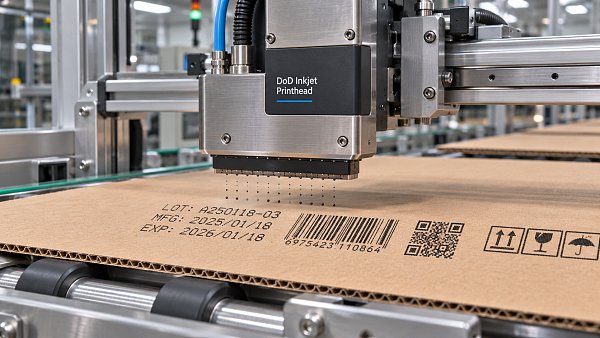
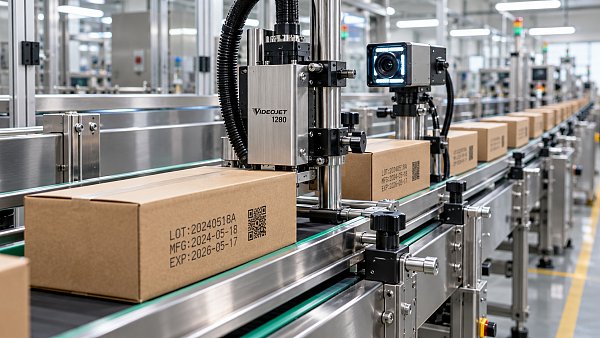
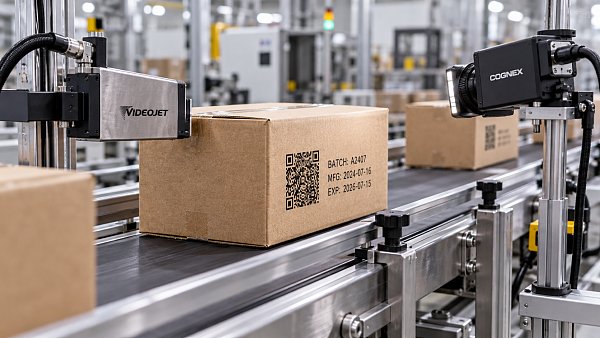
Thermal inkjet, or TIJ, uses electrically controlled heating elements to eject ink droplets through cartridge nozzles. In an online installation, the printhead marks packaging as it moves through a production line. The controller manages the message and print timing, but successful coding still depends on product presentation, ink condition, and line signals.
Before changing settings, inspect the failure pattern. An entirely blank pack suggests a missed trigger, an unavailable printer, a cartridge problem, or printing outside the intended area. A partial code points toward nozzle condition, unstable pack movement, or an unsuitable printhead gap. A code that looks acceptable at the printer but disappears downstream may be rubbing off before it dries.
Also separate missing codes from incorrect codes. A clear batch number from the previous order is not a printing-quality failure; it is a job-control failure. A presence sensor or basic camera check may accept it unless the inspection system compares the content against the approved production job.
Make every pack produce one reliable print trigger
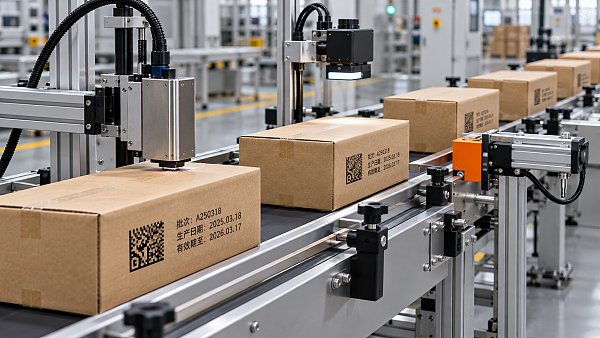
The product sensor is often the first place to investigate intermittent blanks. Its position must provide a repeatable reference edge, not an opening, loose flap, or changing graphic. Reflective films, dark surfaces, and irregular corrugated edges can require a different sensor arrangement from a plain folding carton.
Watch the sensor indicator while running actual packaging, including the shortest product gaps. One pack should generate one valid detection event. A signal that flickers across a flap can produce duplicate triggers; products travelling too close together may appear to be one continuous object. Adjust sensor alignment, sensitivity, and filtering within the equipment supplier’s guidance, then test again at production speed.
Print delay must match the distance between the detection point and the required print location. A time-based delay may work on a stable-speed conveyor, but changing speed can shift the code. Where supported, encoder-based position tracking helps synchronize printing with actual travel. The encoder must track product movement reliably: belt slip or packs sliding against guides can still introduce position errors.
Do not validate only at steady speed. Check startup, acceleration, deceleration, and restart after a blockage. These transitions can expose timing faults that remain hidden during a short demonstration run.
Stabilize the printing surface before adjusting the printer
A loose carton cannot be corrected through software alone. If the printed panel moves toward and away from the printhead, character edges and placement can vary. Guides, belts, and suitable support should keep the target area stable without crushing the pack or damaging its finish.
Set the printhead-to-surface distance according to the particular printer and cartridge specification. There is no universal gap suitable for every TIJ installation. Corrugated board warp, carton seams, and changing pack dimensions should be considered when checking clearance. Avoid locating the code across a crease, glue seam, or heavily textured area when a more consistent surface is available.
Ink selection is equally practical. An ink that works on absorbent paper may behave differently on coated board or film. Test the actual substrate, including its varnish or laminate, and check adhesion after realistic downstream handling. A code that transfers onto the next conveyor guide is still a traceability problem, even if it looked good immediately after printing.
During breaks, follow the cartridge supplier’s capping and cleaning instructions. Dried nozzles can leave gaps after a restart. Use approved materials rather than an improvised solvent, and confirm the first printed packs after cleaning or replacing a cartridge.
Close the gap between “print commanded” and “code verified”
A dependable control sequence links product detection, printer readiness, printing, inspection, and rejection. Each stage answers a different question. The printer’s internal counter may show that a command was processed; only inspection of the package can establish whether the required mark is present and acceptable.
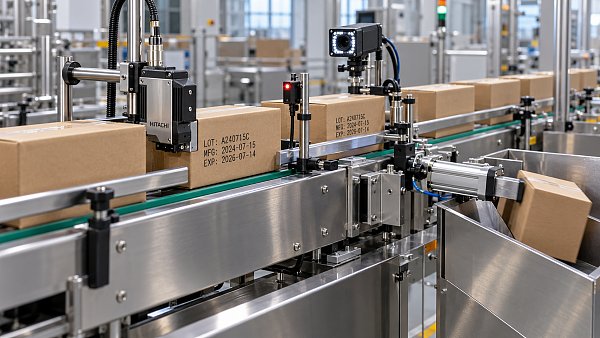
The intended flow is: detect the pack, confirm the printer is ready, trigger the approved message, inspect the printed area, then accept or reject the tracked pack. Printer faults and unavailable inspection should generate a defined response rather than allowing production to continue without control.
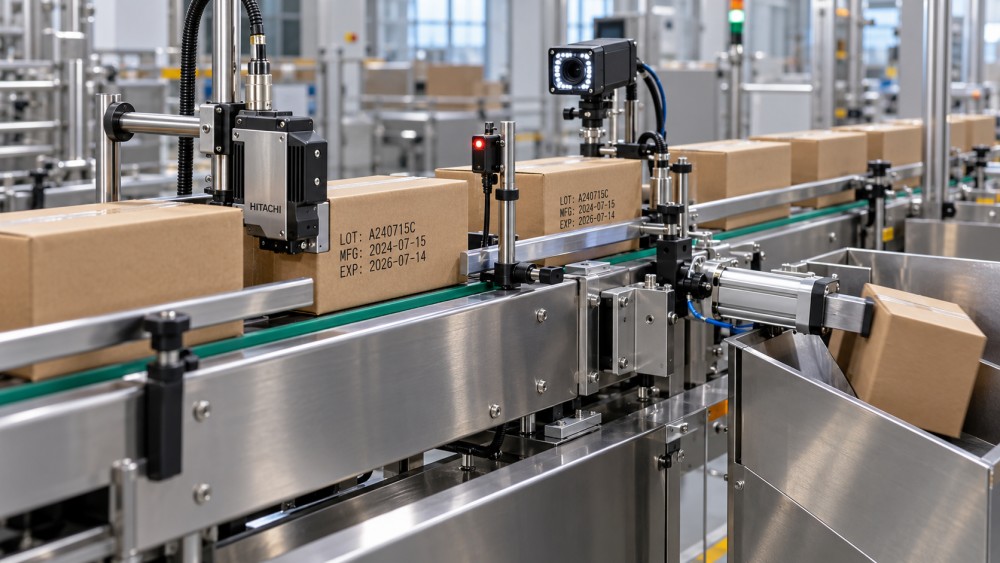
Inspection capability must match the risk. A presence check can identify a blank area, but it does not necessarily prove that all characters are readable or correct. Optical character verification can compare printed text with an expected value when properly configured. Machine-readable codes require suitable decoding checks; decoding alone does not establish every aspect of barcode print quality.
Lighting and camera position need attention too. Glare from coated cartons, variable backgrounds, and motion blur can undermine inspection. Test known acceptable and known defective samples, including partial characters and misplaced codes. A camera that accepts every sample is not evidence of a stable process.
Rejection needs confirmation. The system must track the failed pack to the reject point and verify its removal through an appropriate arrangement. Low air pressure, a blocked reject path, or a full collection bin can defeat an otherwise correct inspection decision. Where reliable rejection cannot be maintained, the agreed response may need to be a controlled line stop and product containment.
Use readiness signals and job controls—not just warning lights
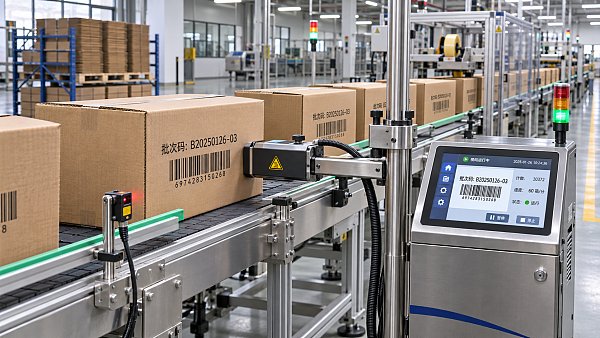
An online TIJ printer system should be evaluated by what happens when something goes wrong. Depending on the available interfaces, the line controller can use printer-ready and fault signals to inhibit feeding or initiate a controlled stop. The stopping distance and packs already in transit must be included in that logic. A red light alone cannot prevent uncoded product from continuing downstream.
Ink-level warnings can support planned cartridge replacement, but an estimated level does not prove nozzle health. Similarly, a network connection does not guarantee that the correct job has loaded. Operators need a clear display of the active batch message and a defined approval step at changeover.
- Use controlled templates so routine changes do not alter code position or required fields.
- Where available, select jobs through a validated order reference or barcode rather than repeated manual entry.
- Restrict editing permissions according to responsibility, while keeping normal operation straightforward.
- Confirm the printer message and inspection reference both change to the new job.
The last point is easy to overlook. A printer can produce the correct new batch while the camera still expects the old one—or both devices can retain an obsolete job.
Prove the setup under normal production disturbances
A useful acceptance test goes beyond printing several clean samples. Run the intended packaging formats across the operating speed range, using the actual message length, resolution, and substrate. A headline maximum printer speed does not establish that a particular message can be printed and inspected reliably on your line.
Under an approved test procedure, challenge the system with a blank pack, an incorrect batch value, a partial code, and a printer-not-ready condition. Confirm that each produces the required response. Test inspection faults and reject confirmation as well. Any deliberately defective samples must be controlled and removed before production is released.
Repeat relevant checks after maintenance, recipe changes, or movement of the sensor or printhead. Record enough detail to make the setup repeatable: substrate, ink, message version, sensor position, print offset, inspection recipe, and reject timing. These records are more useful than relying on an operator’s memory of the last successful run.
When a missing code appears, contain the uncertainty
Do not simply clean the cartridge and restart. Follow the site’s containment procedure, identify the last confirmed acceptable check, and isolate potentially affected production. Review detection events, printer faults, inspection results, and reject records where available. Counters can support investigation, but totals alone do not prove every pack was coded correctly.
This system-level view reflects the approach of Global Commercial Print & Corrugated Packaging Intelligence (CPCS), an information platform covering packaging machinery, coding, inspection, and factory automation. For packaging plants, the useful question is not simply which printer to install, but whether the complete arrangement handles the line’s real failure modes.
Before approving a setup, ask the team to demonstrate three things: every pack triggers correctly, unacceptable codes are detected, and failed packs cannot pass unnoticed. If any one of those remains unproven, the missing-code risk has not yet been controlled.
Related News
 How Do Drop on Demand Inkjet Printers Control Ink Droplets?Discover how Drop on Demand Inkjet Printers control droplets through precise firing, ink formulation, and substrate handling for sharper codes and graphics.Machine Vision & Coding Fellow
 What Affects the Price of a Carton Coding Machine?Carton coding machine price depends on printing technology, speed, automation, and running costs. Discover how to compare quotes and choose the best value for your production line.Machine Vision & Coding Fellow
 How to Choose a Variable Data Printing Machine for PackagingChoose the right variable data printing machine for packaging. Compare material compatibility, speed, data control, and inspection to reduce waste and make a confident investment.Machine Vision & Coding Fellow
 How Can an Online TIJ Printer System Prevent Missing Batch Codes?Discover how an online TIJ printer system helps prevent missing batch codes with reliable triggers, vision inspection, and verified rejection. Reduce rework and protect traceability.Machine Vision & Coding Fellow
 Industrial Inkjet Printer Market Forecast to Reach $9.2 Billion by 2035Industrial inkjet printer market forecast: $9.2 billion by 2035. Explore how packaging traceability, automation, and CIJ and TIJ technologies could shape equipment investment.Machine Vision & Coding Fellow
 How Does Variable Data Printing for Cartons Improve Traceability?Discover how variable data printing for cartons improves traceability with verified codes and linked records to help locate affected stock and support faster recall decisions.Machine Vision & Coding Fellow